
How to Add a Currency Rate
Users within a specific job role have the ability to add exchange rates into the system.
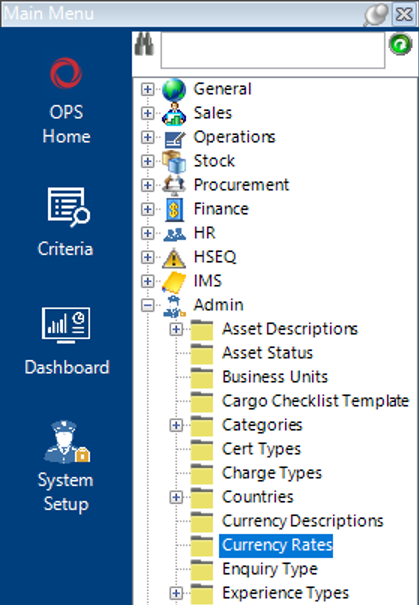
- Select the Admin category then Currency Rates:
- Select New Record>Currency Rates or hit Insert on your keyboard.
- Complete the relevant fields.
Note: (Pink = System Generated, Blue = Mandatory):

| Field | Description |
|---|---|
| From Currency | Select the currency you want to convert from |
| To Currency | Select the currency you want to convert to |
| Rate | Enter the current exchange rate |
| Last Updated | System Generated |
- Select Close.
The Currency Rate has now been added to the system.