
How to Approve Suppliers
Users within a specific role have the ability to approve suppliers within the system.
- The approving user will receive a notification via the system to alert them that a new Supplier has been created:
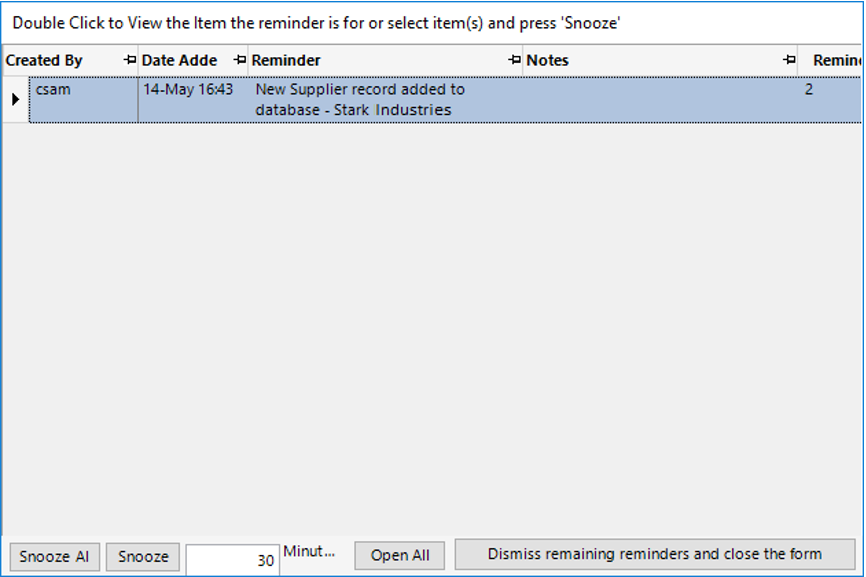
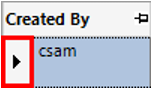
- Open the record by double clicking on the grey area to the left of the Created By column within the alert:
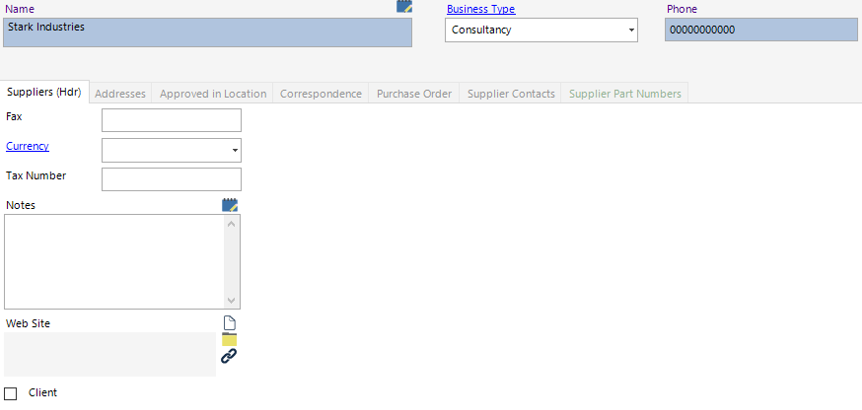
Note: If you choose to snooze the alert, the message will remain in the Open Reminders tab within the user’s dashboard.
- Select New Record>Approved in Locationor select the Approved in Location tab and hit Insert on your keyboard.
Fill in the relevant fields.
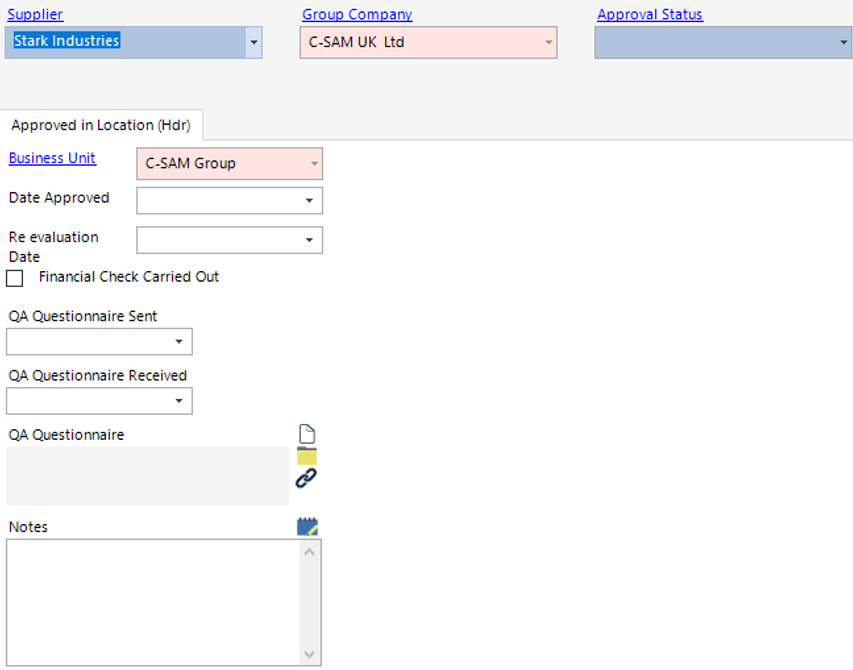
| Field | Description |
|---|---|
| Supplier | Defaulted from the previous screen |
| Approval Status | Select the relevant approval status |
| Approved in Location (Hdr) | |
| Date Approved | Enter/Select the relevant date |
| Re evaluation Date | Enter/Select the relevant date |
| Financial Check Carried Out | Check this if a financial check has been carried out |
| QA Questionnaire Sent | Enter/Select the relevant date |
| QA Questionnaire Received | Enter/Select the relevant date |
| Notes | Text field to record additional notes |
- Select Close.
The Supplier has now been approved for that Business Unit and Group Company.
Note: You will need to add multiple records for each Business Unit and Group Company within your organistation if the supplier is used elsewhere.